the-line
View the repository Read the build note
The Line is a physics playground in the same spirit as fluid: change something, watch the result, and use the picture to ask a better question. Here the questions are about corners. What happens if the exit opens up? Does more power help on this stretch? How much braking grip remains while the car is turning?
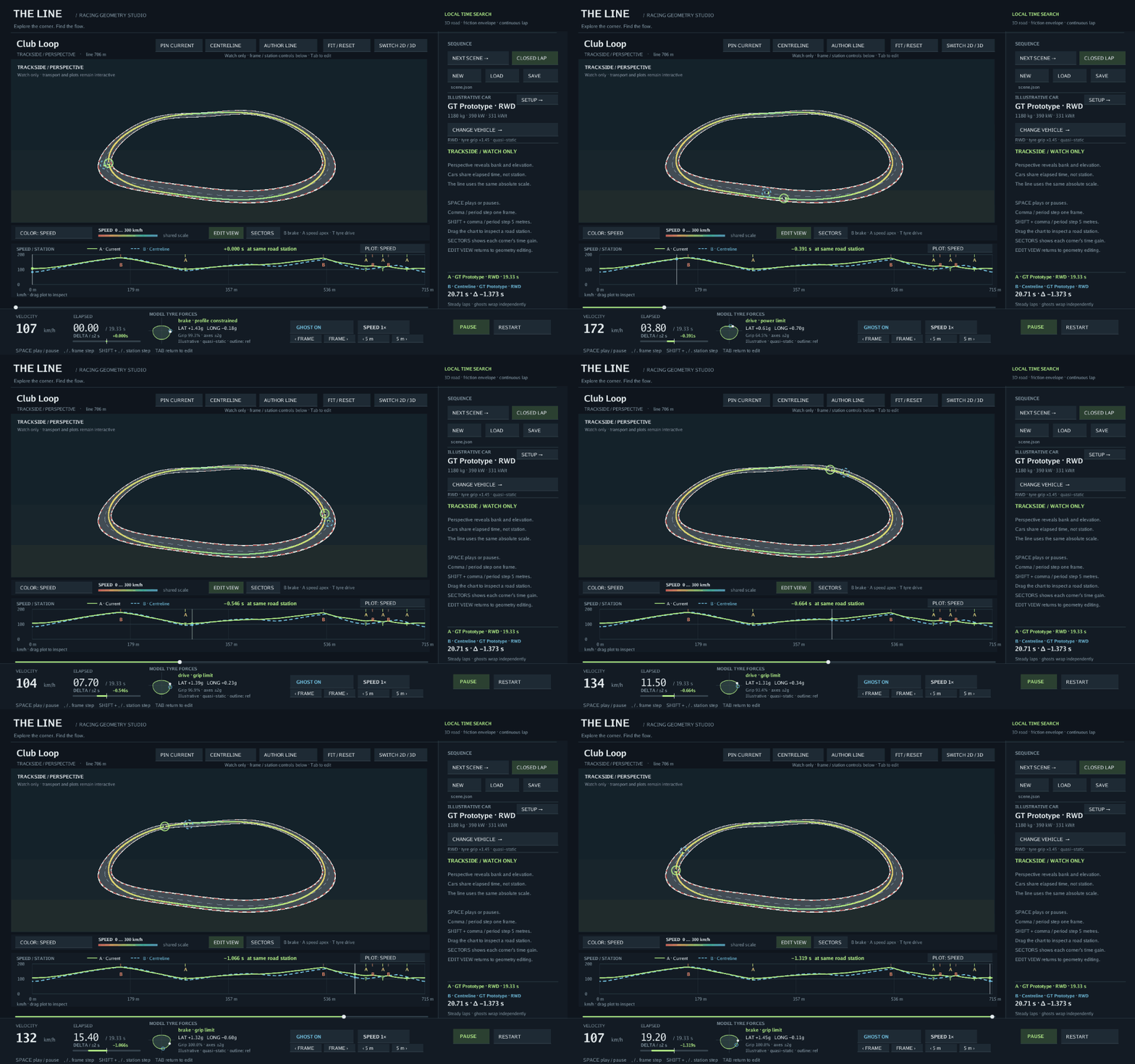
A native Ebitengine viewer exposes editable track geometry, banking, elevation, surfaces, kerbs, and car setup. Smooth candidate lines are evaluated against tyre-force limits, then checked on a finer road mesh. The model includes power, drag, axle drive split, and optional brake bias, downforce, longitudinal load transfer, and tyre load sensitivity.
Things to try
- Pin a reference, change grip or power, and compare the speed traces and elapsed-time delta.
- Drag a corner wider or change its banking, then watch the line and braking points move.
- Author a line with lateral handles and compare your idea with the searched result.
- Switch between plan, elevated, and perspective views, or export a PNG, GIF, or CSV from the CLI.
The cars use illustrative quasi-static force limits, which makes the relationship between geometry, grip, and time easy to inspect. The build note follows that model through braking, axle balance, periodic laps, and the profiling work that made repeated experiments faster.
Start with the repository’s quick start, launch the viewer, and reshape the default esses.